Agilent Instrument User Guide
Instrument Orientation
FPA Detector and Liquid Nitrogen
The FPA (imaging) detector is cryogenically cooled for operation with liquid nitrogen. A single detector fill will last for approximately 8 hours. It is very important not to allow the detector to warm up while it is powered on.
Liquid nitrogen filling is handled by a Norhof auto-filler, so you do not need to be present at the beamline to refill the detector. The auto-filler operates on a 4 hour refill cycle. It is possible to trigger an early detector fill to accommodate your experimental schedule. Take note of detector temperature and check the status of the Norhof auto-filler at regular intervals during your experiment. At the end of your beamtime, beamline staff will direct you how to leave the detector / auto-filler. If in doubt, keep the auto-filler running.
Spectrometer and Microscope
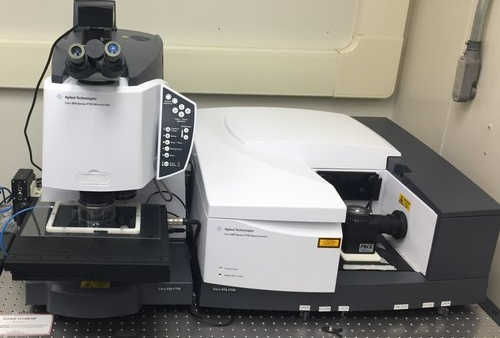
Microscope controls
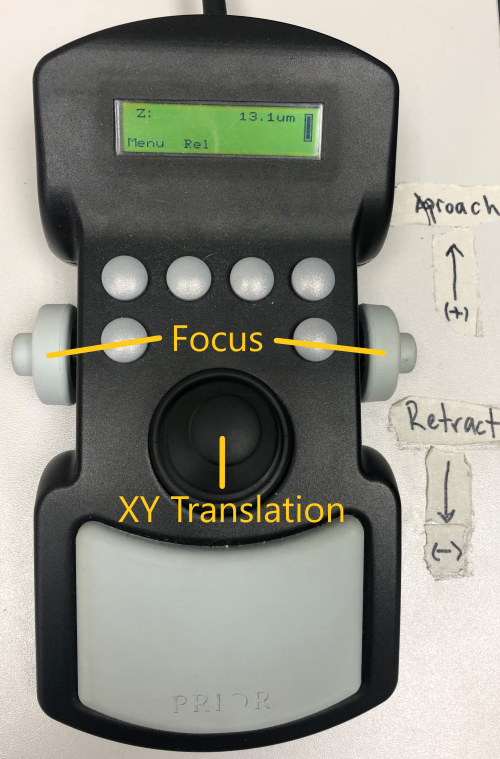
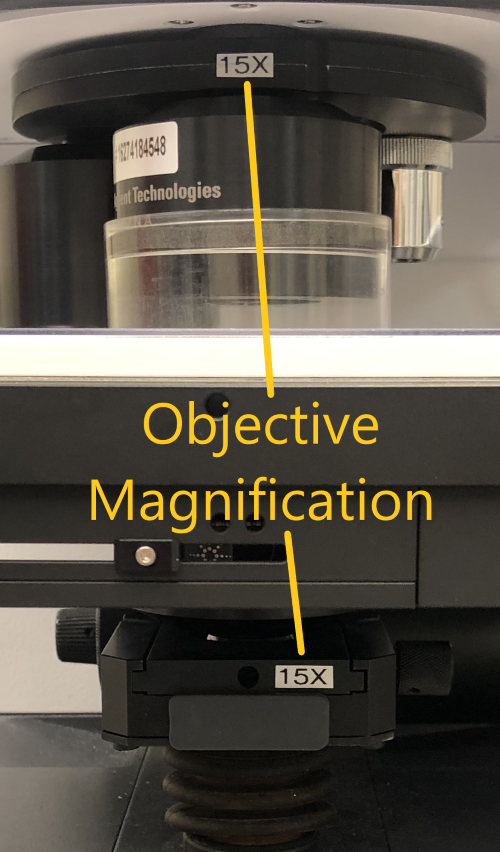
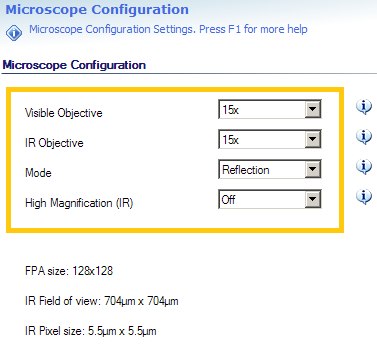
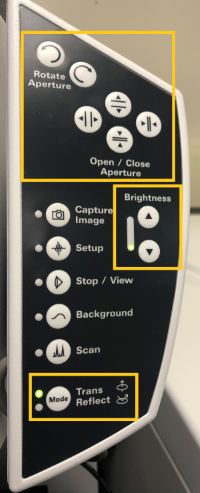
Manual and software controls exist for most microscope functions.
Optics / Accessories
The Cary microscope is equipped with both 15X and 25X magnification objectives, as well as a 4X visible-only objective for sample viewing. There are internal zoom optics available which further increase the magnification by a factor of 5 at the cost of signal intensity at the detector. See the Capabilities section of the Agilent page for more details.
The 15X objective can be configured with a Ge ATR imaging crystal.
The main compartment of the Cary spectrometer can be configured for bulk spectroscopy using standard transmission mounts, a single-bounce Ge ATR or a multi-sample autosampler in both the Mid- and Near-IR.
The purge gas is constantly supplied to the sample but the purge shields must be in place. Ensure the clear plastic top plate and objective collar are in place for at least 15-20 minutes before acquiring data. This will provide adequate time for the purge gas to replace the ambient air in the system after the chamber is closed.
Software
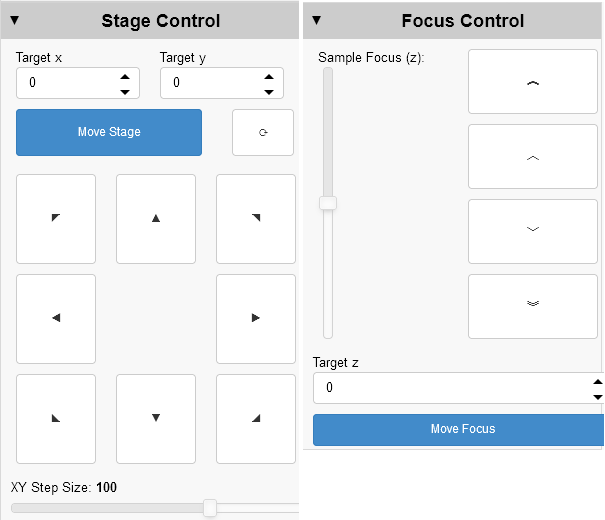
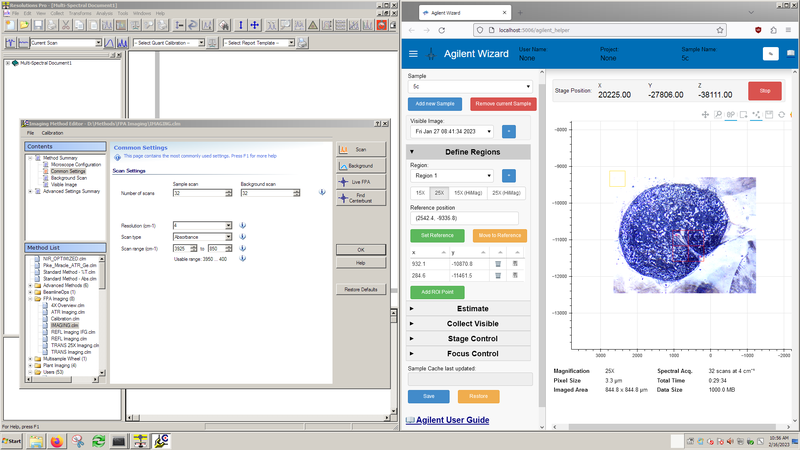
Resolutions Pro (left) is the primary software for instrument control and data acquisition.
The Agilent Wizard (right) software assists with stage control, sample orientation and experiment planning.
Experimental Parameters
-
Spectral resolution and objective magnification trade off measurement time per area and S/N with increased spectral/spatial resolution.
-
Number of scans directly trades measurement time for S/N.
-
Pixel aggregation (binning) trades file size and S/N for spatial resolution, with no impact on measurement time.
Experimental Setup
These steps should be completed for you by beamline staff, however you should confirm the flap positions and detector cooling before starting your work. If you are remote, you can only confirm that the auto-filler is running.
-
Start the Norhof liquid nitrogen auto-filler to cool the FPA using the "Fill FPA" desktop link.
-
Open microscope input flap between FTIR and microscope.
-
Ensure there is a light path through the main FTIR compartment to the internal DTGS detector and that the compartment flaps are open. Any of the following configurations will work for imaging measurements:
-
Pike MIRacle ATR accessory
-
Multisample wheel (wheel removed)
-
Empty compartment (with purge cover)
-
-
Mode specific setup:
Transmission Confirm that the installed condenser matches the desired magnification
ATR Imaging Confirm the ATR crystal mount is installed and the FPA has been resized to 64x64 pixels -
Turn on the detector
Resolutions Pro Method Settings
Experimental settings are controlled through the Resolutions Pro Imaging Method Editor. Settings specific to your experiment can be saved to a custom method in the Users folder. After saving a new method, you should close and re-open the Imaging Method Editor window.
Before starting your first measurement, double-check the Imaging Method Editor Settings.
Agilent Wizard
The Agilent Wizard assists with sample location and experiment planning. At a minimum, you should ensure the objective setting on the Define Regions tab matches the infrared objective you plan to use. Important note: The Agilent Wizard assists with experiment setup and planning, but does not affect the data acquisition step. All data acquisition is controlled through Resolutions Pro.
The Wizard program may be launched from the Agilent desktop shortcut. Visible orientation images are collected of samples loaded onto the stage mounts. Before starting the IR experiment, we will obtain 4x visible images of each sample and import them into the wizard following this procedure: Agilent 4X Image Overviews. Once 4x images of all samples are collected, we can move on to experimental workflows.
Experimental Workflows
The system is now ready to begin sample measurements.